
HUSH They can hear Backpack Capacity, Slots, and Upgrades
Your default backpack in HUSH: They can hear provides 20 inventory slots to store raid loot, opened with the Tab key. Purchasing the Big Backpack pass expands capacity to 30 slots, helping you haul more gear before heading to an exit.
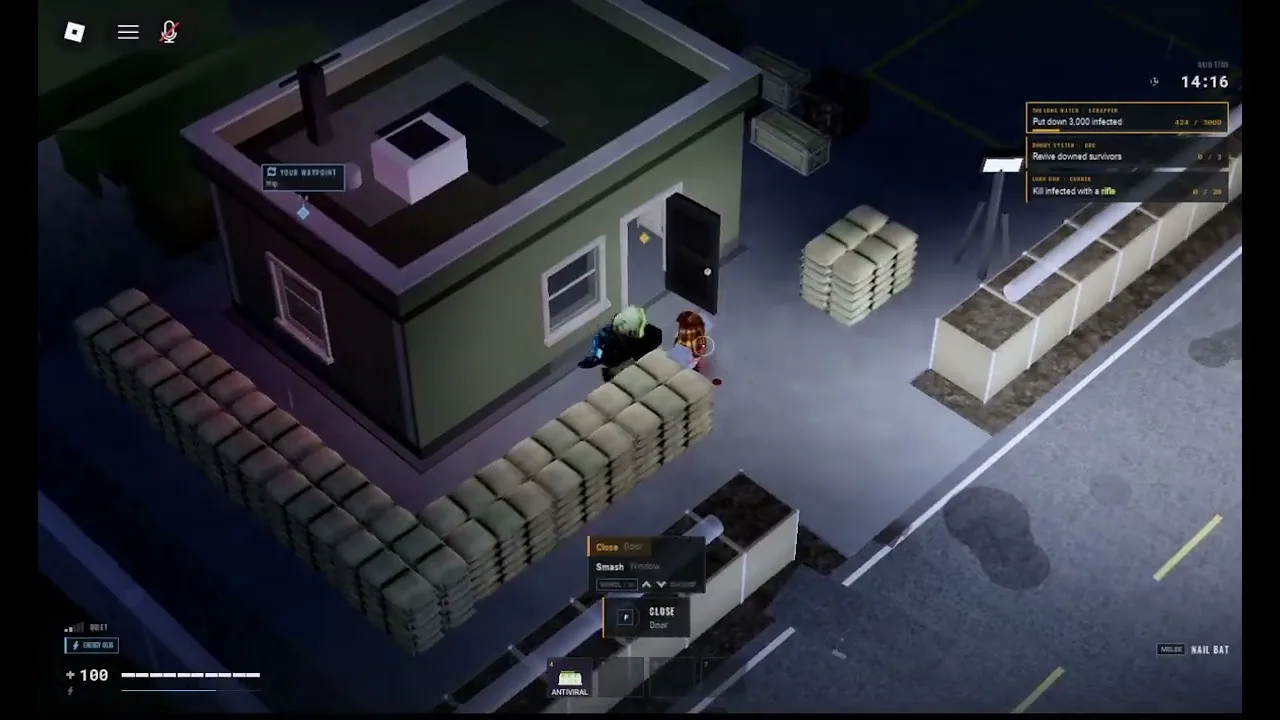
Your default backpack in HUSH: They can hear provides 20 inventory slots to store raid loot, opened with the Tab key. Purchasing the Big Backpack pass expands capacity to 30 slots, helping you haul more gear before heading to an exit.
Inventory Slots and On-Screen Display
Entering the town from the sewers sets your inventory to a base capacity of 20 item slots. Pressing Tab raises your inventory grid on the screen, allowing you to organize items gathered during the scavenge.
When you pick up items from red toolboxes, medical crash carts, or floor spawns, the HUD tracks your load in real time. For instance, collecting medical supplies updates the bottom interface to show your slot usage alongside the total cash value, displaying formats such as BACKPACK 1/20 slots | worth 120. Items of the same type bundle together, showing numeric stack badges such as x2 to save room. If you are learning the basic controls for movement and container searching, reviewing a beginner guide clarifies how to handle supplies under pressure.
Interacting with world containers requires specific keyboard prompts:
- Press E to open red toolboxes, doors, and loose containers throughout town buildings.
- Press R to execute a TAKE ALL command when looting medical crash carts in locations like the hospital.
- Hold Ctrl and double-click items to transfer supplies directly between surfaces and open inventory slots.
Expanding Capacity with the Big Backpack Pass
The official Roblox game store offers a permanent capacity upgrade called the Big Backpack pass for 400 Robux. Purchasing this item increases your carried capacity by 10 additional slots, moving your in-raid storage limit from 20 to 30 slots permanently. Players who purchase this upgrade retain the expanded capacity across all subsequent raids.
Beyond account upgrades, external trader shops provide specialized gear containers in the raid staging lobby. The Scrapper trader sells equipment such as the Hiking Backpack, which uses a 20-cell grid arranged in a 4x5 pattern. Choosing between store upgrades and base gear depends on your playstyle, budget, and raid objectives. Detailed account benefits are listed on the gamepasses page.
| Storage Method | Ideal Situation | Cost or Trade-off |
|---|---|---|
| Standard Backpack | Budget scavenging runs in town houses | Limits carried loot to 20 slots |
| Big Backpack Pass | Prolonged looting in army camps and hospitals | Requires a one-time 400 Robux purchase |
| Safe Pocket | Transporting high-value items like Bunker Codes | Carries only one stack and rejects weapons |
| Base Stash | Securing hauls between active town deployments | Unavailable once you step into town |
Safe Pockets and Loss on Death
Backpack storage carries high operational risk during every deployment. If hostile players eliminate you or sound-hunting creatures intercept your path, you lose everything carried inside the active backpack slots, alongside weapons equipped in slots 1 and 2 and throwables mapped to G. Understanding the death penalty system prevents you from gambling valuable finds on unnecessary detours.
The single exception to total loot loss is your safe pocket. This isolated storage slot keeps one stack of items completely secure, even if your character dies inside the raid zone. The safe pocket rejects firearms and secondary sidearms, making it best suited for rare recovery keys, medical injectors, or Bunker Codes that sell for 150 credits each.
Upon completing a run, you must move items out of the backpack immediately:
- Return to the base lobby after a successful escape.
- Open your storage interface displaying the 150-slot home stash next to your carried pack.
- Click STORE ALL to transfer every item from the backpack directly into the base stash.
- Open the HUSH SUPPLY terminal and navigate to the SELL tab to sell loot directly from stored reserves.
Managing Loudness While Carrying Full Packs
Carrying a full backpack influences how cautiously you must travel across the map. The HUD loudness meter registers your decibel output constantly, revealing that crouched movement indoors registers around 33 dB, normal walking outside generates roughly 52 dB, and driving vehicles reaches 81 dB. Moving through town with 20 or 30 full slots demands quiet paths, because alerted monsters track noise directly to your position.
A full backpack serves as an immediate signal to disengage from active scavenging and locate an exit point. Markers labeled WAY OUT on the map, such as NORTH GATE or THE FARM TRACK, require players to call the vehicle and board before the door timer expires. Securing your haul relies on booking an extraction before aggressive enemies cut off your path to the border.
Related Guides
Flashlight Controls
Review flashlight controls, inspect dark interiors cleanly, and compare visibility tools to protect your carried loot across every run.
Night Vision
Toggle night vision with N, find goggles across high-tier loot zones, and spot items in unlit buildings while keeping noise meters low.