
HUSH They can hear holster Keybind and Weapon Controls
In HUSH: They can hear on Roblox, pressing Q immediately holsters your equipped weapon. Stowing firearms prevents accidental gunfire that alerts sound-hunting creatures, allowing players to search containers quietly and preserve carried gear before heading toward extraction.
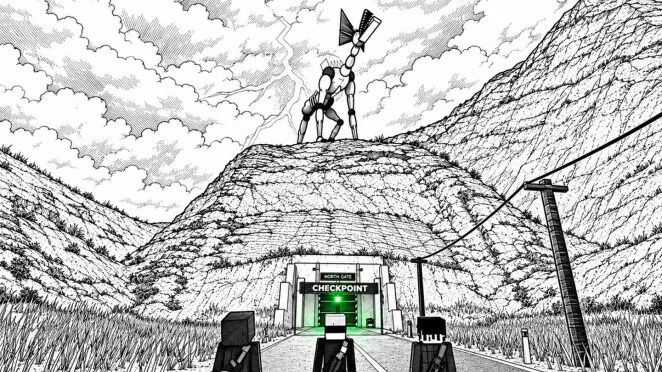
In HUSH: They can hear on Roblox, pressing Q immediately holsters your equipped weapon. Stowing firearms prevents accidental gunfire that alerts sound-hunting creatures, allowing players to search containers quietly and preserve carried gear before heading toward extraction.
How to Holster and Draw Weapons in HUSH
Holstering your current firearm requires pressing the Q key on your keyboard while holding any equipped weapon. The game assigns primary and secondary guns to weapon slots 1 and 2, while throwables use the G key. Tapping Q immediately puts the active gun away, clearing your hands during scavenging runs.
Bringing a weapon back out does not use the holster key. Instead, press 1, 2, or 3 to draw the item assigned to that designated slot. If you hold a machine pistol in slot 1 or a shotgun in slot 2, pressing the corresponding number draws that weapon immediately into your hands.
Weapon Handling Controls
Gunplay in HUSH: They can hear relies on standard PC combat inputs. Weapon interaction keys handle drawing, aiming, discharging, inspection, and perspective switching across all firearm classes.
- Q: Holsters the active weapon.
- 1, 2, and 3: Selects the weapon in slot 1, 2, or 3.
- Right-click: Aims down sights.
- Left-click: Fires the equipped weapon.
- R: Triggers a reload using matching ammunition from inventory.
- I: Inspects the held weapon.
- V: Toggles first-person view.
Firearm ammunition must be gathered from containers around town before engaging hostile threats. Toolboxes and supply crates throughout houses, shops, and the army camp yield light, medium, and shotgun ammunition.
Deciding When to Stow Your Firearm
Keeping a weapon drawn carries distinct trade-offs compared to keeping your hands free. The table below outlines how each weapon state functions during a raid.
| Equipment State | Operational Context | In-Game Consequence |
|---|---|---|
| Holstered via Q | Scavenging containers and traversing streets | Prevents accidental clicks; requires pressing 1 or 2 before firing |
| Drawn in Hands | Anticipating direct monster encounters | Enables immediate aiming and firing; accidental clicks produce loud noise |
| Empty Hands | Initial spawn or post-stash runs | Carries zero weapon loss risk; leaves you defenseless against threats |
Holstering is practical when rummaging through residential toolboxes or hospital crash carts. Because the E key handles opening containers and calling extraction posts, keeping guns holstered eliminates the chance of misclicking left-click and firing an unintended bullet.
Sound Risks and Discharging Penalties
Sound dictates survival across the entire town. The bottom-left corner of the heads-up display features a decibel meter that measures every movement and action. While a player reading roughly 33 dB indoors when using crouch remains relatively undetected, weapon discharges cause immediate spikes that alert nearby creatures.
The official intro states that a single gunshot can turn a quiet street into a desperate escape. When a monster hears gunfire, it moves directly toward the sound origin. Environmental factors modify baseline noise, such as fog reducing noise by 1 dB and indoor spaces applying an 8 dB reduction, but gunshots overpower these passive reductions.
Failing an encounter carries heavy inventory costs. If a creature catches you, you lose all carried weapons, throwables in slot G, and the items in your backpack. Only the safe pocket—which holds a single stack of non-weapon items—and gear already stored in your base stash remain secure. Holstering your weapon until you reach a clear firing angle helps prevent reckless noise spikes while you work toward the green extraction gates.