
HUSH They can hear night vision: Controls and Gear Guide
In HUSH: They can hear, pressing N toggles night vision on foot, helping players scan dark corridors and spot loot without alerting sound-tracking monsters. Night vision goggles deliver clear sightlines across unlit buildings and serve as the preferred visual tool over flashlights.
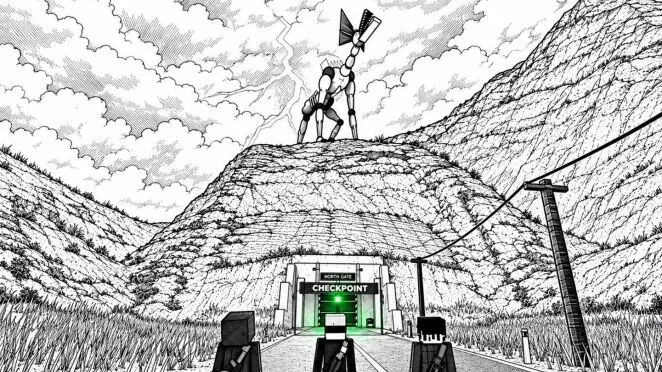
In HUSH: They can hear, pressing N toggles night vision on foot, helping players scan dark corridors and spot loot without alerting sound-tracking monsters. Night vision goggles deliver clear sightlines across unlit buildings and serve as the preferred visual tool over flashlights.
Activating Night Vision on PC
The default keyboard binding for night vision is N. Pressing N while exploring on foot activates the device immediately, brightening unlit interiors without generating audible sound cues. Combining night vision with the first-person camera by pressing V grants a direct view of floor containers, open doorways, and shadowy corners.
Players can check their position by pressing M to pull up the paper map. Using the scroll wheel zooms the map, while holding the right mouse button allows inspection of territory markings and marked extraction routes. The on-foot lighting controls function independently from interaction binds, letting raiders hold open doors or open toolboxes with E while night vision remains active.
Entering a vehicle alters key bindings. While F operates the handheld flashlight on foot, pressing F next to a vehicle enters or exits the driver seat. Behind the wheel, Shift controls drifting, B fastens the seat belt, G toggles windshield wipers, and H activates the horn. Night vision operates exclusively on foot, meaning drivers rely on vehicle lights and street visibility until stepping back outside.
Night Vision Goggles Compared to Handheld Lights
Surviving unlit areas requires balanced visibility choices. A creator tips video identifies night vision goggles as the superior visibility tool over flashlights due to broader visual clarity across dark rooms. Flashlights provide a focused cone toggled with F, whereas night vision illuminates the full field of view, making it easier to scan entire rooms before entering.
| Visibility Option | Best Situation | Operational Demands |
|---|---|---|
| Night vision goggles | Searching unlit rooms, hospitals, and army tents | Found as raid pickups or bought with credits at the shop |
| Standard flashlight | Basic visibility when goggles have not dropped | Toggled with F on foot, but shares key binding with car entry |
| Paper map inspection | Checking landmarks and green WAY OUT routes | Bound to M, obscuring forward vision while the map is held |
Monsters in the town hunt by sound rather than direct beam detection, so toggling visual tools does not spike the decibel counter. However, maintaining clear peripheral vision helps players spot monster silhouettes earlier, avoiding sudden collisions that force loud sprints or panicked gunshots.
Finding Night Vision Goggles and Loot
Players acquire visibility equipment through two methods: scavenging town structures or purchasing equipment at HUSH SUPPLY. Creator recommendations highlight the hospital, helipad, and old town as the best locations for high-tier supplies. Scavengers searching for gear can also inspect houses, retail shops, and the army camp.
When raiding these locations, search containers systematically:
- Walk up to crash carts and toolboxes, pressing E to open them.
- Tap R on crash carts to trigger the TAKE ALL prompt and gather items rapidly.
- Search supply crates near extraction zones, which can drop weapons, ammunition, attachments like silencers, and support items.
- Check medical rooms for bandages and medkits to patch up damage taken during encounters.
Items collected during a raid occupy slots in the standard 20-slot inventory, which expands to 30 slots with the Big Backpack game pass. Once safely back at base, pressing STORE ALL transfers the carried inventory into the 150-slot stash. Accessing the SELL tab at HUSH SUPPLY allows survivors to turn junk, food, ammunition, and valuable Bunker Codes into credits. Those credits can then be spent on gear, weapons, gold guns, and diamonds from the vendor.
Moving in the Dark Without Making Noise
Visual gear helps raiders spot environmental hazards, but understanding sound mechanics keeps characters alive. The bottom-left HUD features a persistent decibel meter tracking noise output in real time. In one recorded run, a player registered 33 dB while crouched indoors, 52 dB while walking outside, and 81 dB while driving a car.
To stay quiet while using night vision:
- Press C to crouch whenever approaching hostile areas or looting inside houses.
- Take advantage of environmental dampeners, such as the indoor status modifier that reduces noise by 8 dB, or fog conditions that drown out 1 dB.
- Avoid sprinting with Shift or firing weapons unless cornered, as gunshots alert nearby monsters immediately.
- If a monster approaches a doorway, staying crouched and completely motionless behind a shut door has allowed players to avoid detection.
Staying silent protects your carried haul from the harsh death penalty. Getting caught strips away all carried backpack loot, weapons in slots 1 and 2, and throwables bound to G. Only the single stack stored in your safe pocket and previously banked stash loot remain protected.
Extracting Safely With Your Haul
Securing gear gathered under night vision requires completing an extraction sequence before the monster population converges on the exit:
- Locate a green WAY OUT marker on the paper map, such as NORTH GATE or THE FARM TRACK.
- Approach the roadside extraction post and press E to call the EVAC transport.
- Monitor the timer once the post lamp turns red, which counted down 72 seconds in one recorded run.
- Step inside the EVAC truck once it arrives and hold E on Type Extract at the cargo terminal before the vehicle doors shut.
Completing the extraction triggers the YOU MADE IT OUT completion screen, awards +1 skill point, and permanently secures all looted visibility equipment, consumables, and trade goods. Transferring the haul into the base stash ensures that night vision gear remains ready for subsequent excursions into the dark town.