
HUSH They can hear slide: Controls and Movement Mechanics
HUSH: They can hear lets you slide by pressing C while running with Shift. This evasive maneuver lowers your profile across hallways and streets when escaping monsters that track players by noise in the monster-held town.
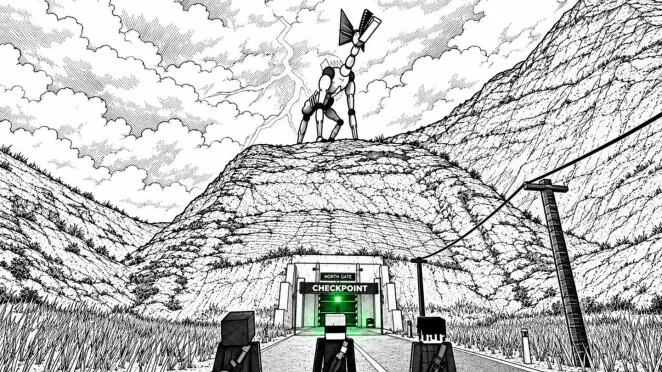
HUSH: They can hear lets you slide by pressing C while running with Shift. This evasive maneuver lowers your profile across hallways and streets when escaping monsters that track players by noise in the monster-held town.
Executing the Slide in HUSH
The official Roblox control scheme from developer theInstigators maps the slide action directly to the crouch key during forward momentum. Pressing C while stationary or walking puts your character into a standard crouch position. To initiate a slide, hold Shift to engage a sprint and then tap C. Your character drops low immediately, carrying forward momentum along the floor before coming to a stop or returning to a crouched stance.
Sliding helps you clear open corridors and low obstacles without stopping completely. When you need to throw your body forward over a drop or away from a striking angle, the game provides a separate dive binding on the Alt key. Knowing when to slide and when to dive keeps evasive moves distinct during high-stress encounters.
Movement Controls on PC
The PC control list connects running and sliding directly to your wider survival kit. Releasing your weapon or lowering visibility tools helps maintain spatial awareness while moving between buildings:
- WASD: Move in four directions
- Space: Jump over barricades or debris
- Shift: Run forward
- C: Crouch while stationary or walking, slide while running
- Alt: Dive forward
- V: Switch into first-person perspective
Secondary survival actions rely on dedicated keys. You press Tab to open the 20-slot inventory, M to read the paper map, F to toggle the flashlight, and N to turn on night vision. Combat equipment uses slots 1, 2, and 3, with Q assigned to holster weapons, R to reload, and left or right mouse clicks to fire and aim.
Choosing Between Slide, Crouch, and Sprint
Sound detection defines how enemy encounters play out across the map. The game monitors your movement speed and surface contact through an on-screen decibel meter, meaning fast movements come with acoustic tradeoffs.
| Movement Action | Best Scenario | Sound and Control Cost |
|---|---|---|
| Crouch | Creeping past hostile patrols indoors | Produces 33 dB on the loudness meter indoors |
| Walk | Crossing rooms and scavenging regular containers | Produces 52 dB on the sound meter |
| Sprint Slide | Breaking line of sight toward an exit threshold | Requires running first, which raises audible detection risk |
A recorded run documented sound readings of 33 dB while crouched indoors, 52 dB while walking upright, and 81 dB while driving vehicles. Sprinting generates substantial acoustic spikes that draw roaming monsters toward your location. Use the slide selectively to drop your stance under window frames or around corners at the end of a sprint, rather than chain-sliding across open streets.
Managing Noise During Tactical Retreats
Every expedition in HUSH requires reaching a green WAY OUT point, such as North Gate or The Farm Track. Initiating an extraction turns the area lamp red and starts an evacuation timer, such as 72 seconds, before the transport doors close. Getting caught before the doors shut strips away every carried weapon and piece of backpack loot, leaving you only with whatever stack sits inside your safe pocket.
If an enemy cuts off your path while you race to the evacuation post, sliding allows you to tuck beneath window sightlines inside houses or shops without burning your entire stamina pool. Once inside cover, remaining crouched and motionless can cause patrolling creatures to lose track of your position. Reserve sprinting and sliding for breaks between secure structures, then drop back into a crouch to keep your sound meter near 33 dB.